Exploring Karuta's Trading Communities
Explore Karuta's trading communities, find their marketplaces, and learn how to access trading channels before posting an offer.
✦ 01・KARUTA HUB
Karuta Hub is the main Karuta Discord server. Players use it to discuss the game, look for cards and items, and arrange trades.
Karuta HubMain Karuta Discord communityJoin Discord ↗
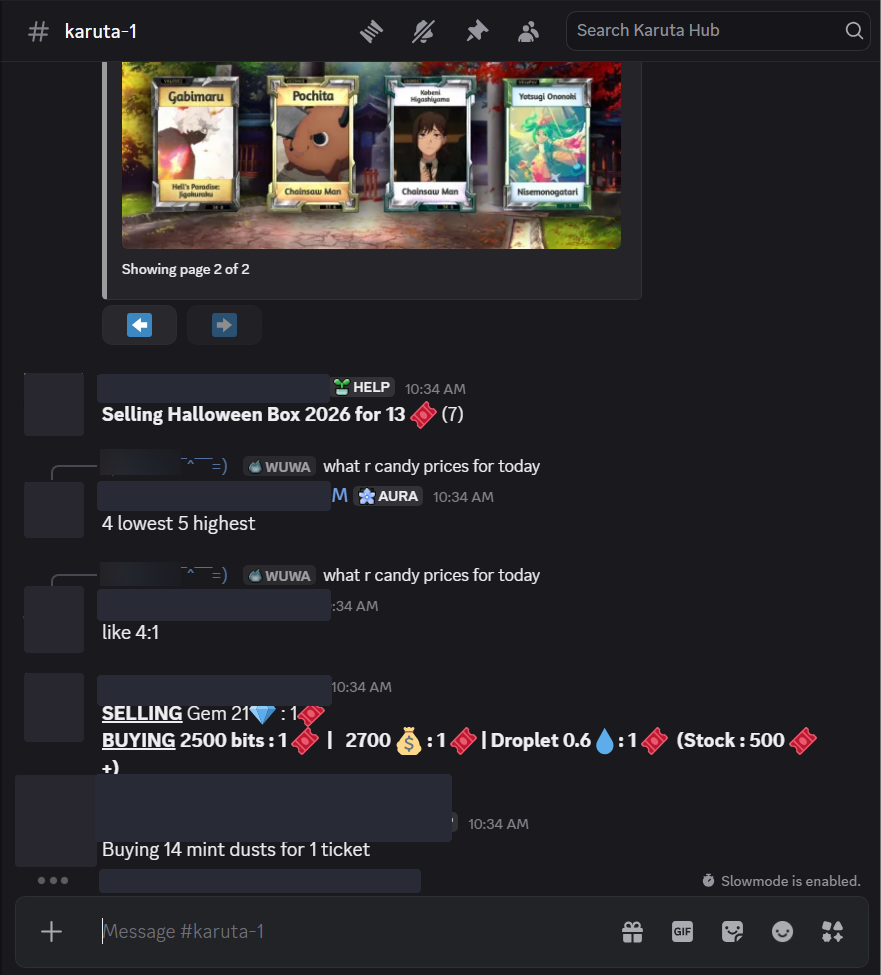
Finding trading discussions: The #karuta-1 channel is commonly used by players to buy, sell, and trade cards, cosmetics, and other Karuta items. You may see offers and price discussions mixed into the regular conversation.
See trading examples in #karuta-1
For dedicated advertisements, you can also visit Karuta Hub's Trading Ads channel.
※ Note: Join the server first. Discord channel links only work when you have access to the relevant channel.
✦ 02・KARUTA'S KIT
Karuta's Kit has dedicated trading areas, including Express Sale channels. Unlike Karuta Cove, these channels are not automatically visible when you first join.
Karuta’s KitCommunity trading marketplaceJoin Discord ↗
How to unlock Express Sale:
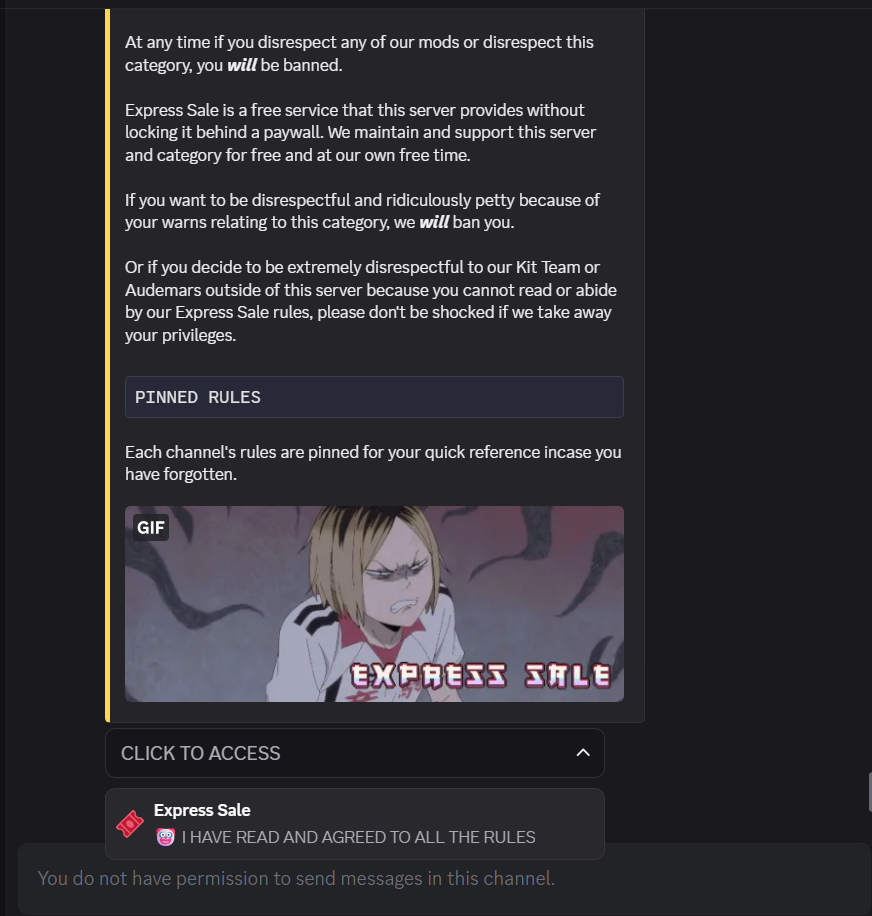
- Join Karuta's Kit and open the Express Sale access channel.
- Read the Express Sale rules carefully.
- Under CLICK TO ACCESS, select Express Sale to confirm that you've read and agreed to the rules.
- The Express Sale channels should then appear in your Discord sidebar.
See how to unlock Express Sale
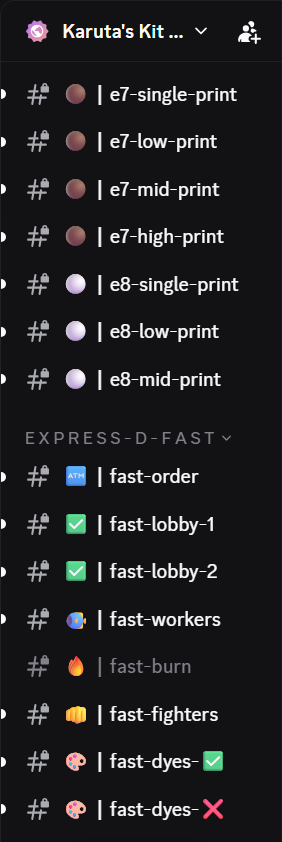
Once unlocked, you'll see channels organized by card editions, print ranges, and different trading purposes. The screenshot below shows only a few examples, not the complete list of channels.
See examples of Express Sale channels
※ Important: Each Express Sale channel may have its own pinned rules. Read them before posting, and follow the server's trading requirements.
✦ 03・KARUTA COVE
Karuta Cove is another Karuta community where players can explore trading channels and connect with other players.
Karuta CoveKaruta community and tradingJoin Discord ↗
Accessing trading channels: The trading channels are unlocked automatically when you join. You don't need to select a special role to unlock them. Browse the server's channel list and check the rules before posting.
✦ 04・RESEARCHING MARKET PRICES
Trading communities are also useful for researching what other players are asking for cards, cosmetics, and items.
- Search for the card or item you're interested in.
- Compare several recent listings and offers.
- Check details such as edition, print, condition, and cosmetics.
- Look for recent completed sales when possible.
※ Tip: Asking prices aren't always the same as actual selling prices. Avoid relying on a single listing.